Understand which business categories and franchise formats your exact property can support. Compare fit, budget and physical requirements—and see what to rule out.
Inside FitFinder
Explore the working product.
Explore 7 views from the real workspace. Each chapter explains a different part of your decision.
Choose a chapter
Example data. Original product screens.
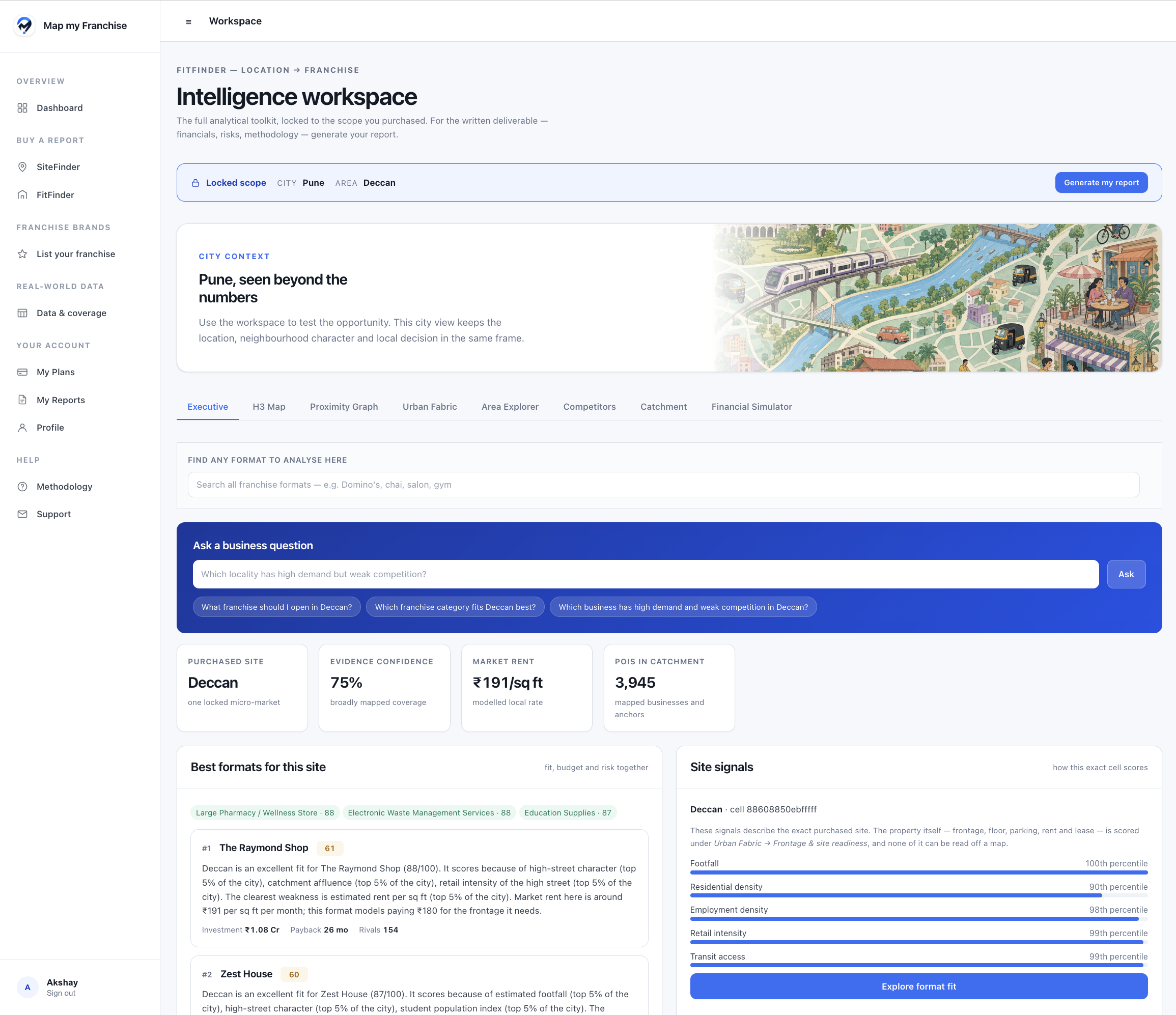
01 / Site brief
Begin with the property you already have.
Keep the purchased site at the centre of the decision, with candidate formats, evidence confidence, rent context and the signals behind the shortlist.
FitFinder / Site briefActual product screen
Original product screenshot
Enlarge & inspectDeccan · Pune. This supplied interface snapshot illustrates a site decision; the current plan covers one exact site, not every address in Deccan.
Keep one exact site as the scope.
Review categories before choosing a brand.
Separate recommendation, location fit and confidence.
02 / Street connections
Match the business to the site's connections.
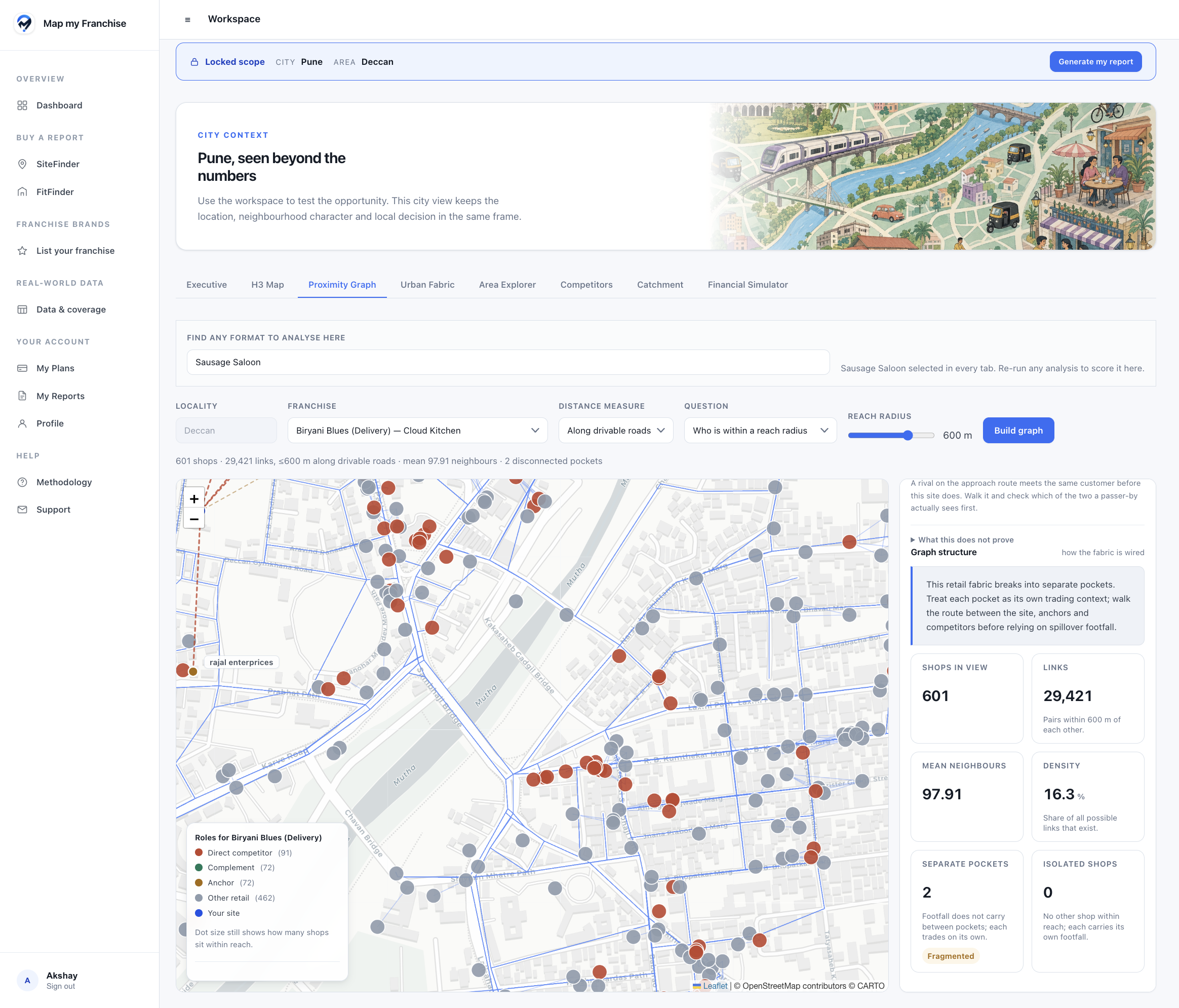
Inspect nearby anchors, competitors and connected trading pockets with the candidate format in view, including delivery-oriented formats.
FitFinder / Street connectionsActual product screen
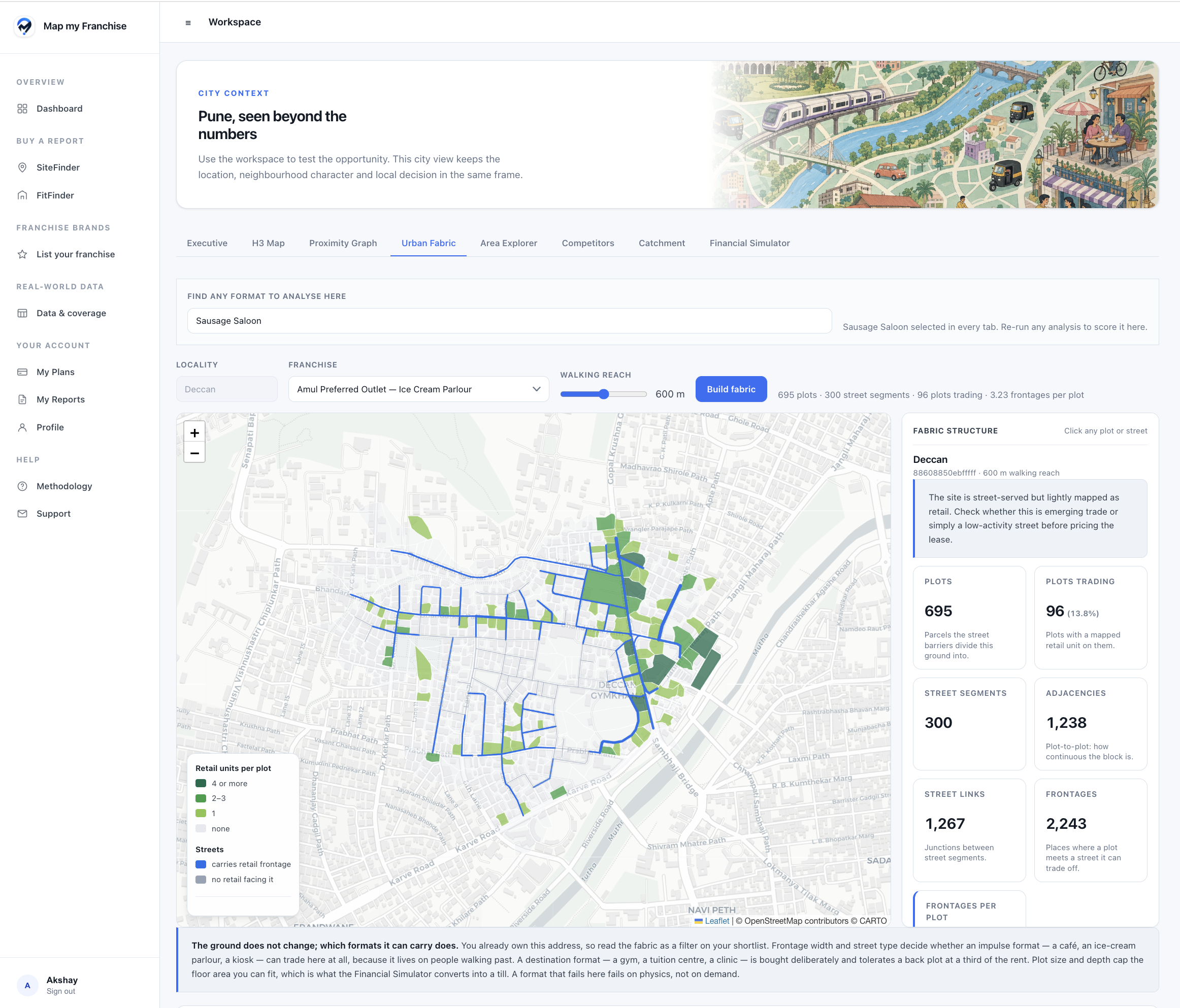
Use street frontage, built form and retail context alongside your property's actual area, floor, power and visibility to test physical suitability.
FitFinder / Physical fitActual product screen
Original product screenshot
Enlarge & inspectAmul Preferred Outlet · Deccan. Public mapping cannot establish your unit's dimensions, utilities or readiness; those facts need property or field evidence.
Distinguish passing-trade and destination formats.
Read mapped frontage and neighbouring retail.
Verify floor, area, utilities and visibility.
04 / Category fit
Find the kind of business the site can support.
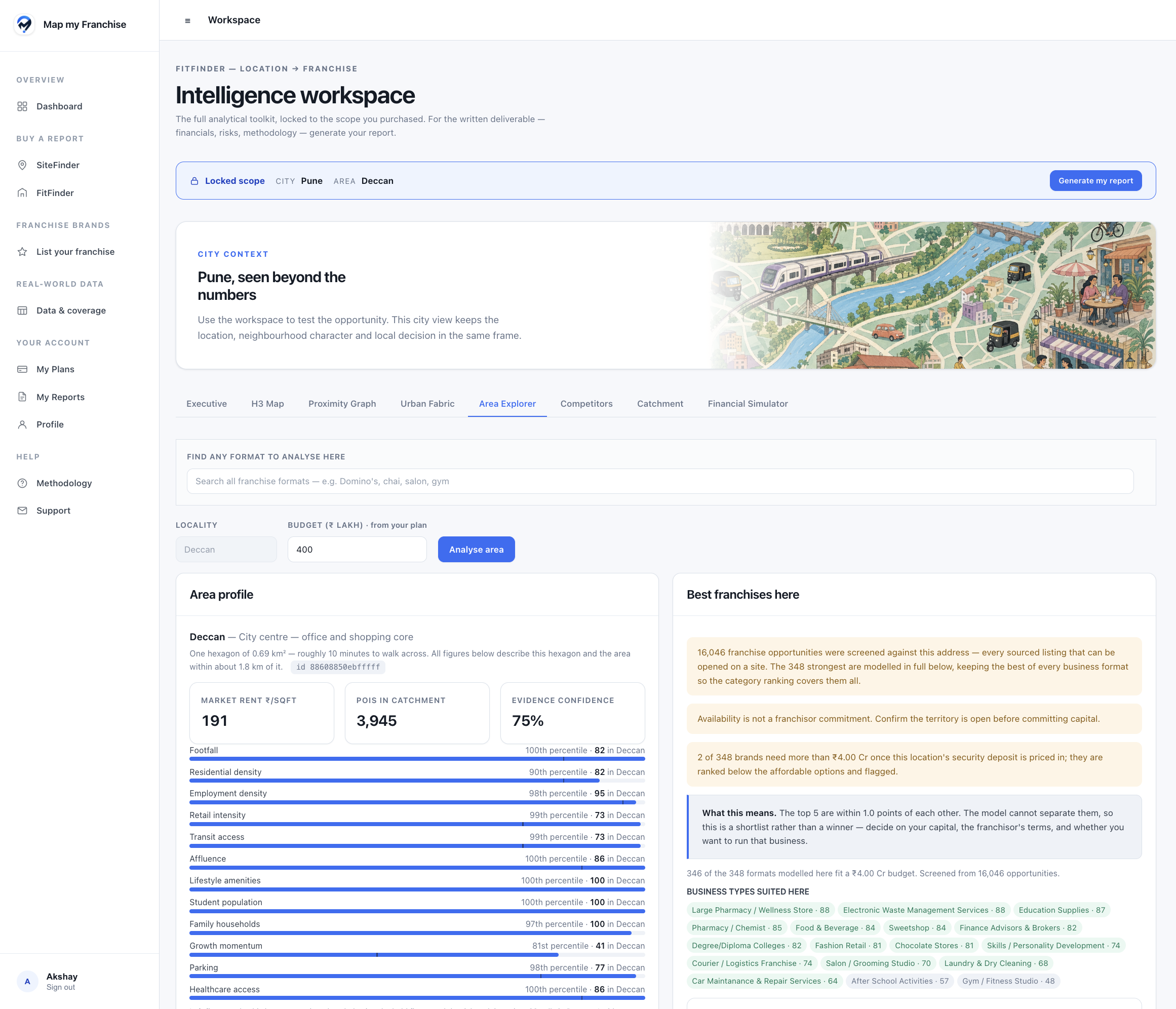
Read the area's demand and access signals beside a category shortlist, then narrow the formats using your capital range and the unit's physical requirements.
FitFinder / Category fitActual product screen
Original product screenshot
Enlarge & inspectDeccan · Pune. Catalogue counts in this earlier capture are a historical snapshot; sourced listings are not all fully modelled or independently verified brands.
Start with business families, then brands.
Compare local demand and access signals.
Rule out formats that exceed budget or site constraints.
05 / Format competition
Use competition to narrow the format shortlist.
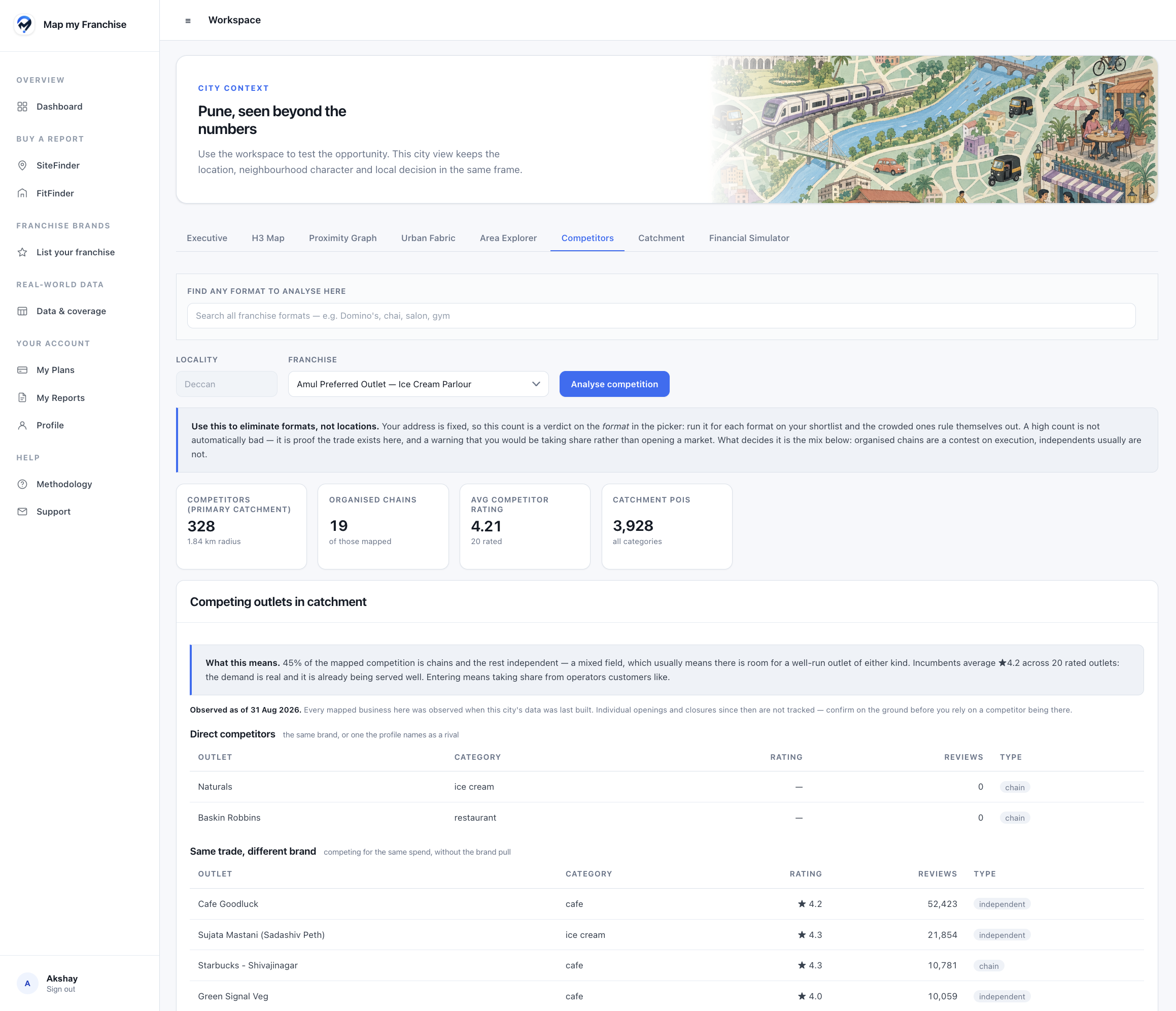
Review the rival mix for each candidate format at the same address. A high count can indicate existing demand and a tougher contest for customer spend.
FitFinder / Format competitionActual product screen
Original product screenshot
Enlarge & inspectAmul Preferred Outlet · Deccan. Counts describe mapped competition in the captured dataset; verify current competitors before committing.
Compare candidate formats at one address.
Read direct rivals and same-trade alternatives.
Check whether the format would need to take share.
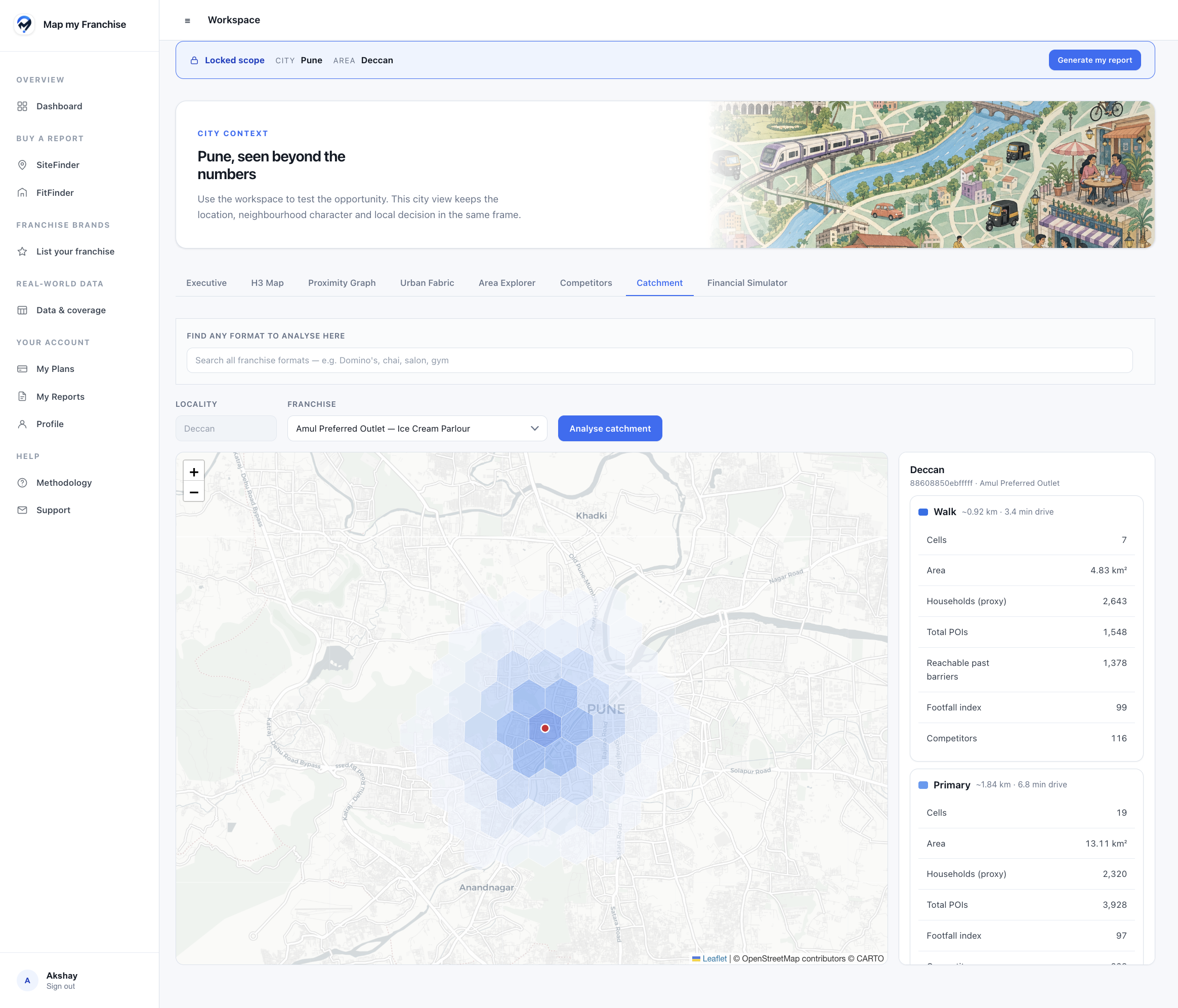
06 / Site catchment
Read the same catchment through each format.
Your address stays fixed. Inspect its surrounding demand and access context, then consider how the candidate formats depend on that trading area.
FitFinder / Site catchmentActual product screen
Original product screenshot
Enlarge & inspectAmul Preferred Outlet · Deccan. H3 catchment bands and travel estimates are approximate; FitFinder does not include city-wide location research.
Keep the purchased site fixed.
Compare immediate and wider catchment context.
Check household proxies, competitors and access.
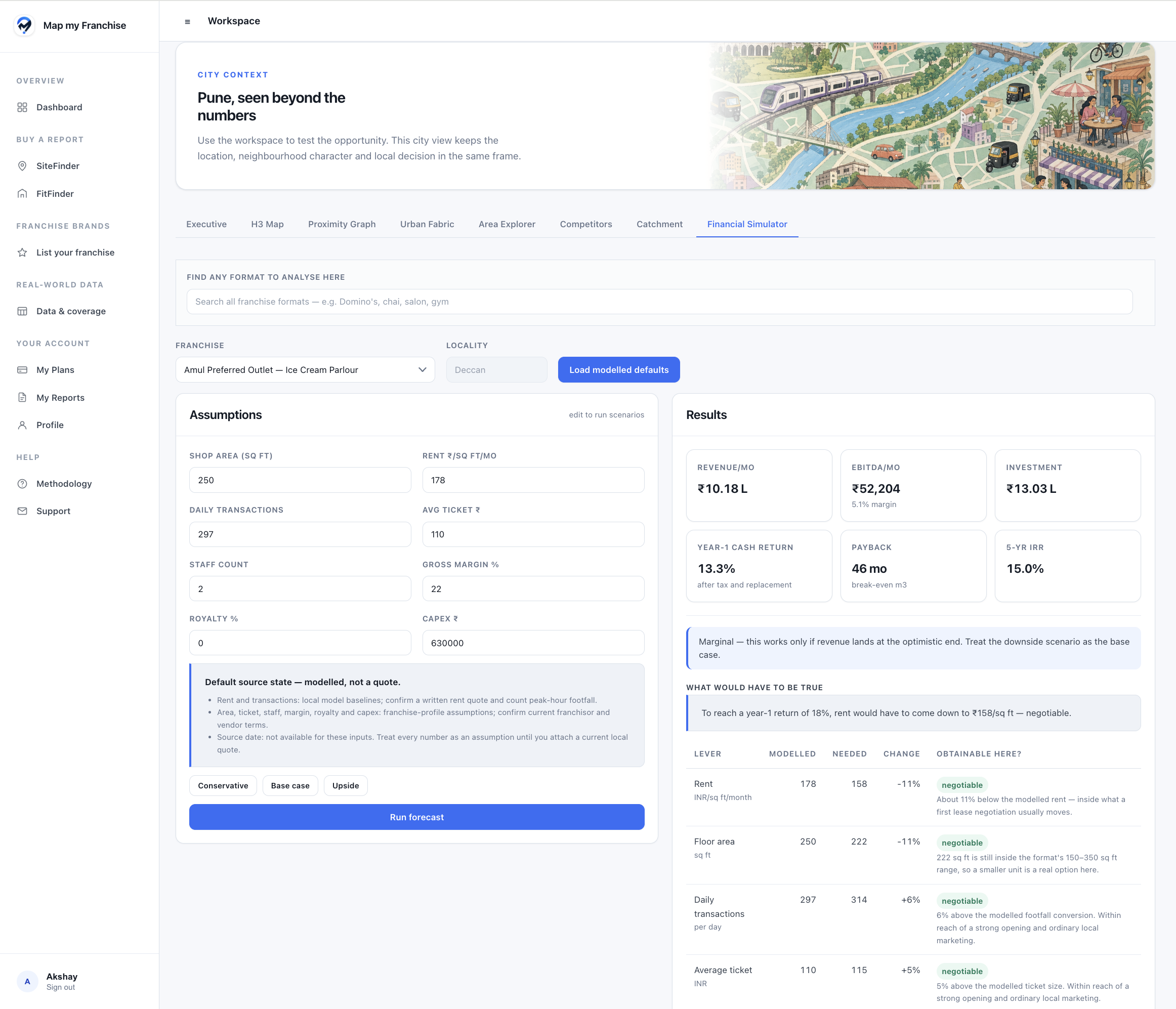
07 / Financial fit
See what would have to change for the deal to work.
Test a candidate franchise at the locked site, then inspect how rent, area, transaction volume or ticket size would need to change to reach a modelled target.
FitFinder / Financial fitActual product screen
Original product screenshot
Enlarge & inspectAmul Preferred Outlet · Deccan. The target-return calculation is a scenario, not a guarantee that the required rent or trading levels are achievable.
Compare conservative, base and upside scenarios.
See which assumptions drive viability.
Take specific questions into rent negotiations.
Every view stays anchored to your purchased site and its catchment. FitFinder does not include citywide heatmap research.
How FitFinder works
One property. A more informed shortlist.
A good brand can still be wrong for a particular unit. Start with the catchment and physical property, then compare the franchise formats that fit.
01
Confirm your exact site
Identify the property and its mapped cell. The city and the selected site must pass an eligibility check before a decision pack can be purchased.
02
Add the property facts
Supply area, frontage, floor, services, rent and budget. Review category fit, exclusions and candidate financial scenarios within that site's catchment.
03
Take the shortlist forward
Record your top three formats. Use the decision report to prepare property checks and direct conversations with the relevant franchisors.
Site-to-Franchise Fit Decision Pack
Your FitFinder decision starts here.
30-day workspace + permanent HTML/PDF report
₹10,000 including applicable taxes
One-time decision pack · One city + one exact site / H3 cell
Prepare your inputs, check the scope and explore the questions that matter to your decision.
What to prepareThe facts only your property can supply.
Maps describe the surrounding market. Your intake supplies the unit details that determine whether a format can operate there.
The unit and its services
Exact address, carpet area, floor and frontage
Power load, three-phase supply and water
Access, parking and signage visibility
The proposed lease
Monthly rent: quoted or expected
Deposit, maintenance, lock-in and escalation
Available investment and decision timeline
What you know about the site
The previous business and how it ended
Nearby competitors and trading activity
Any footfall observation, with its time and basis
Keep unknown facts explicit. A mapped frontage cannot establish your unit's power supply or usable area; customer-provided and field-verified facts remain distinguishable.
Scope, delivery & evidenceOne city + one exact site / H3 cell
Your exact site stays at the centre.
FitFinder is locked to one city and one canonical site / H3 cell. The workspace opens after payment and remains available for 30 days from report delivery. The report normally arrives within one business day of scope confirmation and completed intake, and stays permanently in your account.
City-wide market research and city-wide heatmaps are not included.
A different site requires a separate plan.
On-ground verification and franchisor acceptance are not included.
Recommendations depend on the property facts and evidence available. A promising format still needs checks on the unit, local demand and franchisor eligibility. Modelled returns are scenarios; they are not actual outlet performance.
What if the property rules out the format I wanted?
FitFinder explains exclusions arising from the site's physical requirements, catchment, competition or budget. A result may rule out a preferred category or find no suitable candidate. Use the reasons to identify what needs to change or be verified before committing to a franchise fee or fit-out.
Can I see what would need to change financially?
The financial view lets you test assumptions at the same site. Its target-return comparison shows how rent, area, transactions or ticket size would need to change. These are modelled requirements to investigate, not evidence that a landlord will accept the rent or that the trading target is achievable.
What do I do with the top formats?
Save a top-three format decision and use the report to organise property checks and conversations with franchisors. Confirm the unit's readiness, the current commercial terms and territory acceptance before choosing. A modelled fit does not confirm franchisor approval.

 Original product screenshot
Enlarge & inspect
Original product screenshot
Enlarge & inspect